Islamabad venue listings on BookMySpot
BookMySpot inventory · Islamabad listings, November 2026. A multisport venue may appear in several categories.
BookNPlay brings padel, cricket and other sports venues into one place. Players can compare arenas and request a time. The venue confirms the slot before the player pays an advance.
Padel and indoor cricket already have a visible venue footprint. A directory helps players find venues, and many padel listings still direct them to contact the arena.
BookMySpot inventory · Islamabad listings, November 2026. A multisport venue may appear in several categories.
Islamabad padel listings show a phone number for calling or messaging the venue.
Two Islamabad arenas show where booking and payment can happen. Zone 36 confirms availability on WhatsApp. PK Arena confirms after staff verify an online payment receipt.
| Booking step |  |  |  |
|---|---|---|---|
| Choose a slot | Send the sport, day, and time on WhatsApp. | Choose an available slot on the arena’s website. | Send a request from the player app. |
| Get confirmation | The venue confirms availability on WhatsApp. | Staff confirm the booking after verifying the payment receipt. | The owner approves or declines. The player sees the decision in Bookings. |
| Pay for the slot | Pay Rs. 500 to hold the slot and the balance at the venue. | Pay online and upload the receipt during booking. | Pay the advance after approval. Pay the balance at the arena. |
Send the court, date and time.
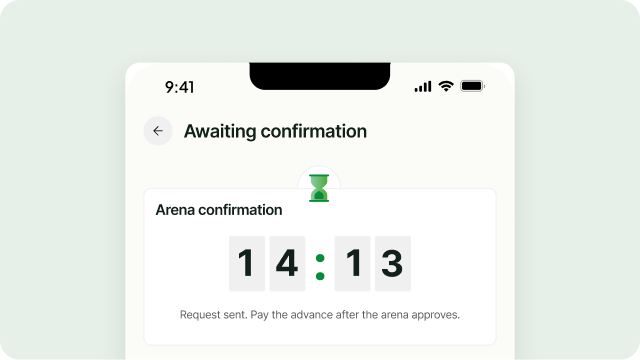
Track the request in Bookings.
Check the slot in the owner queue.
Pay the advance and see the venue balance.
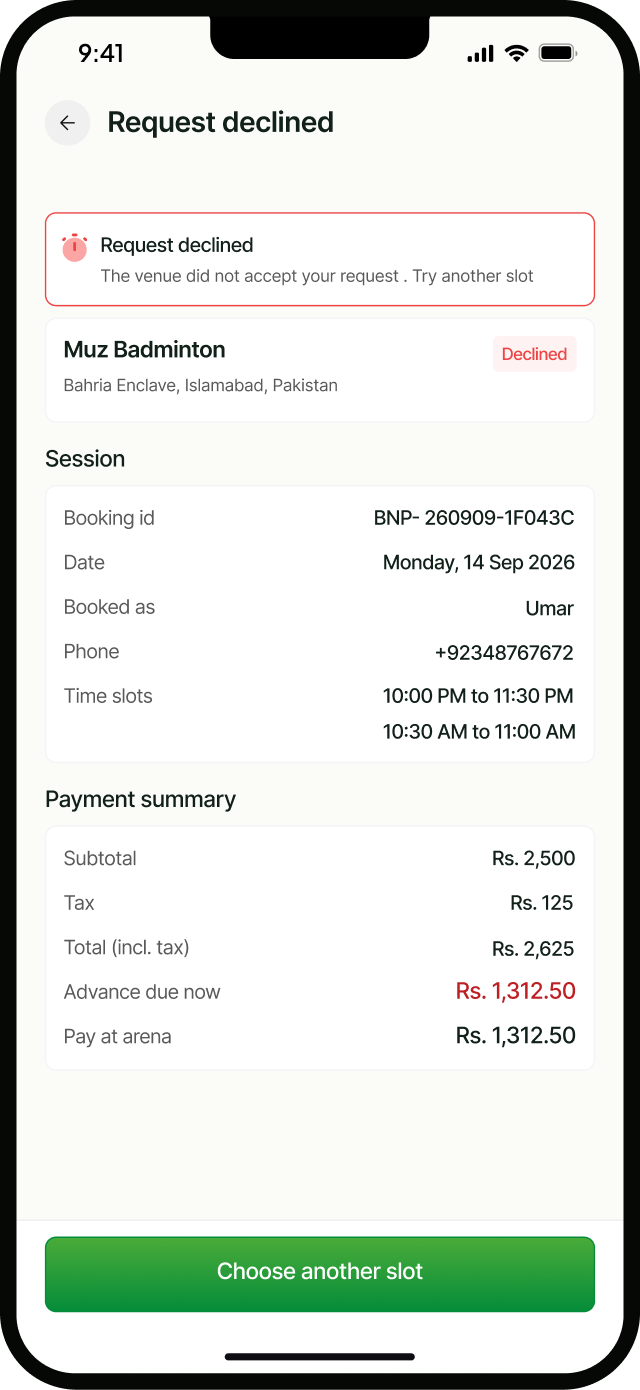
Choose another slot.
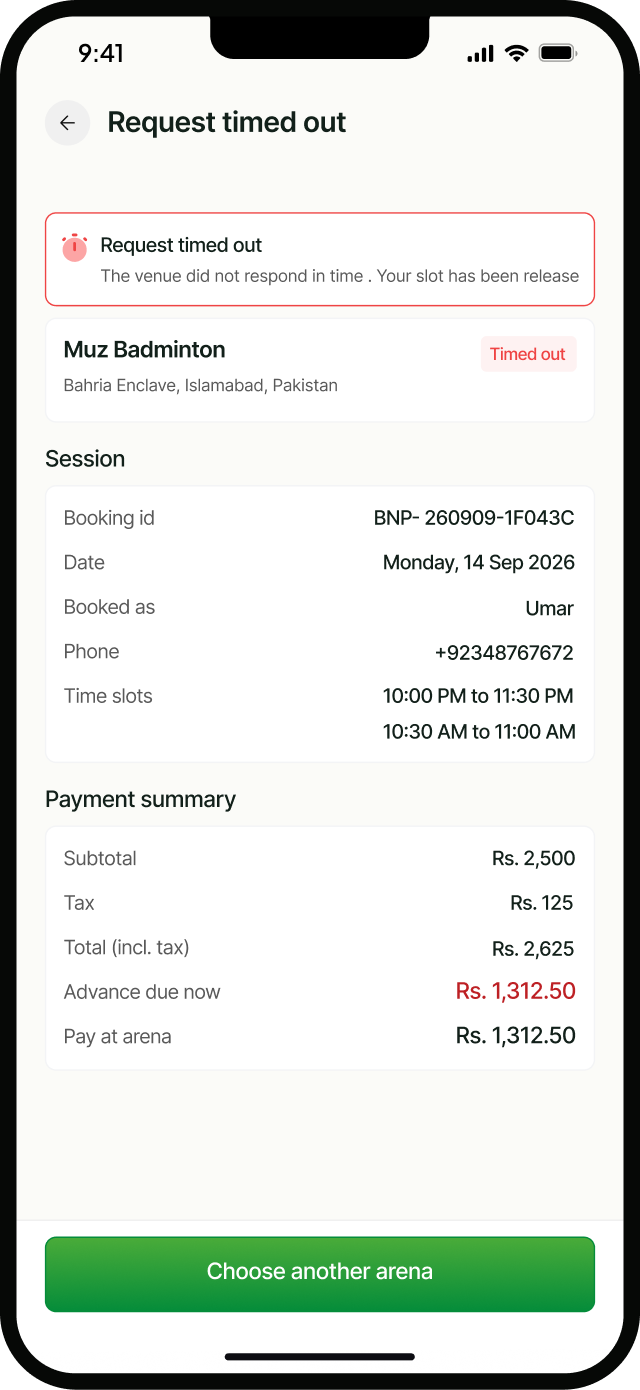
Choose another arena.
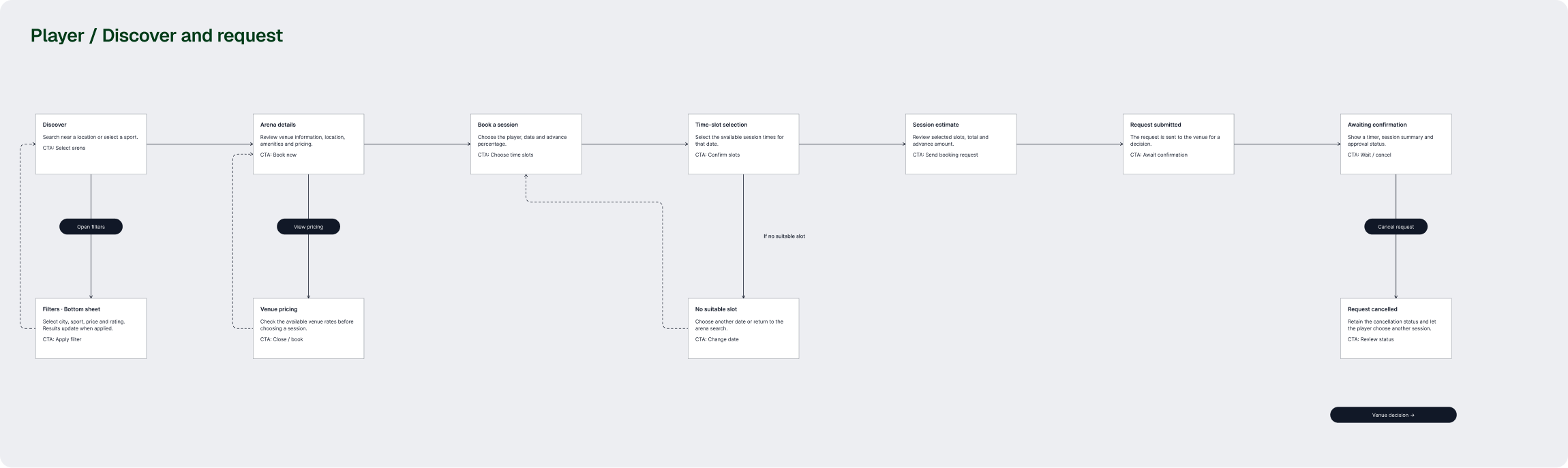
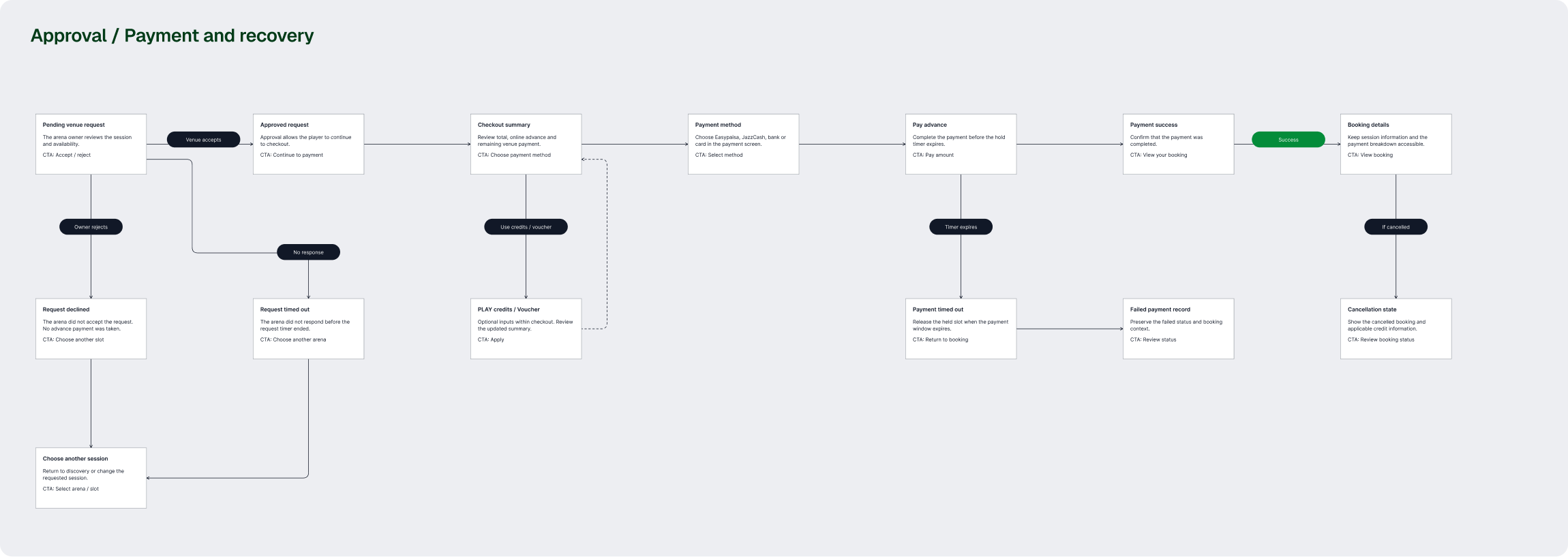
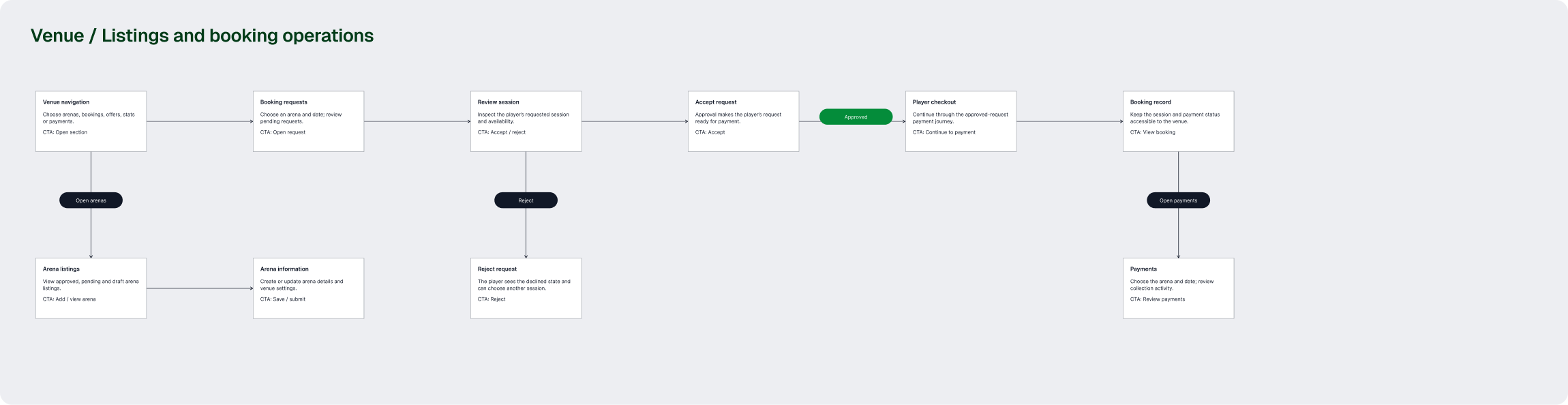
These diagrams cover player discovery, approval and recovery, and venue operations.
The player picks a time at Muz Badminton. The venue reviews the request for 10–11 PM. Approval opens payment, and the booking records the advance.
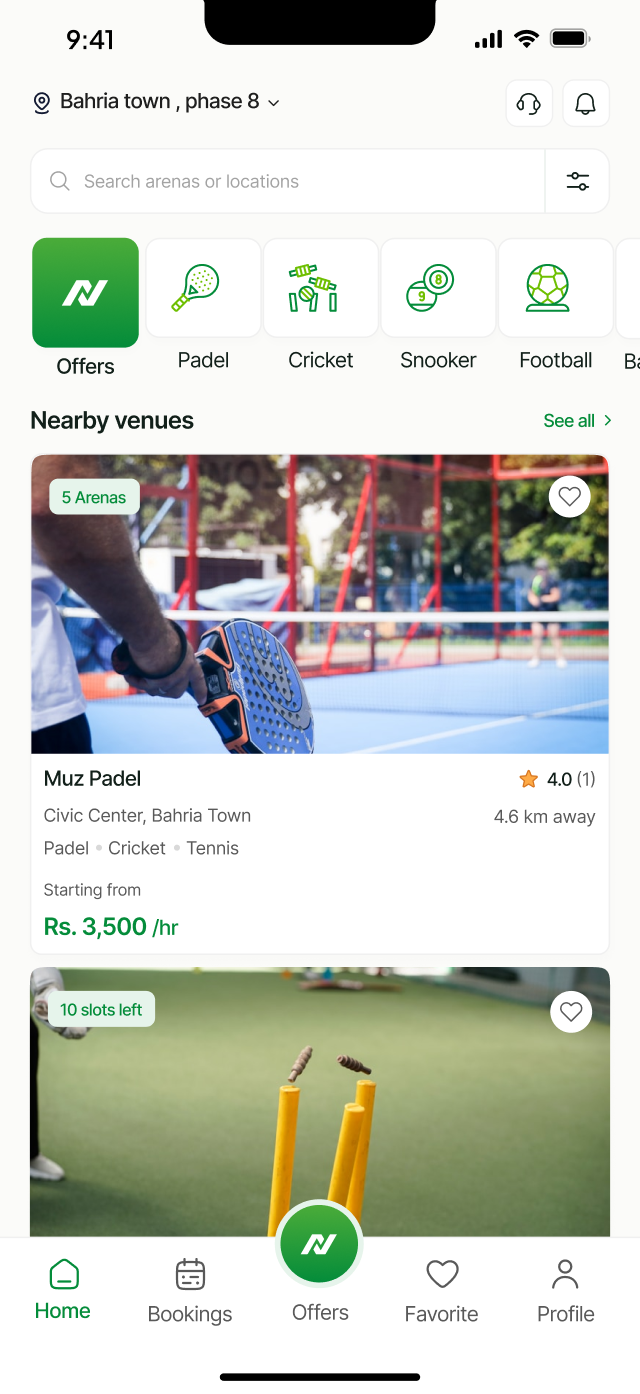 01 · PLAYER
Browse by sport or look for a nearby place to play.
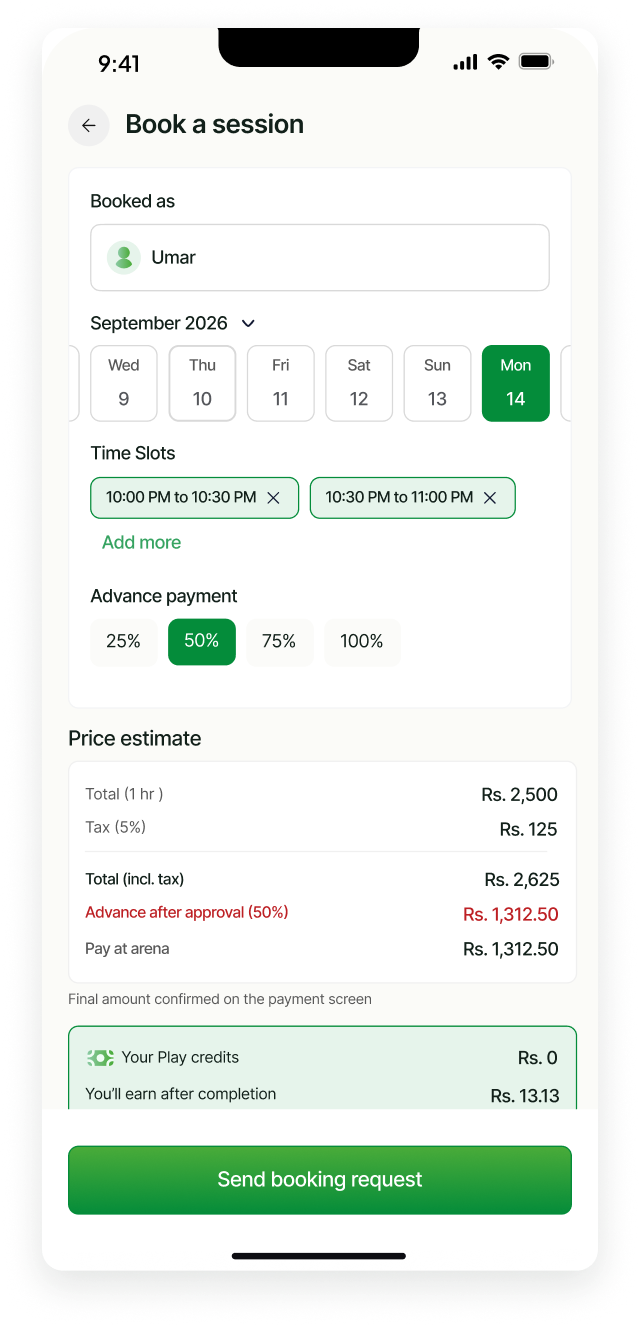 02 · PLAYER
Choose the 10–11 PM session and submit the request.
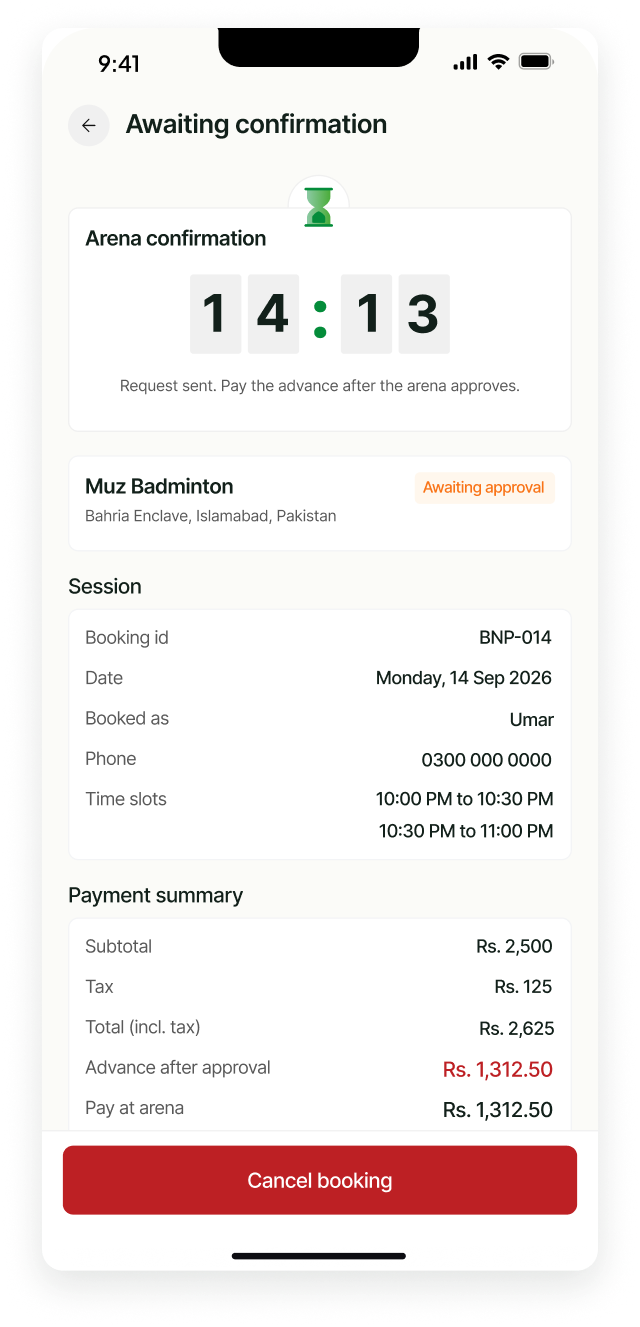 03 · PLAYER
The request waits for the venue’s decision.
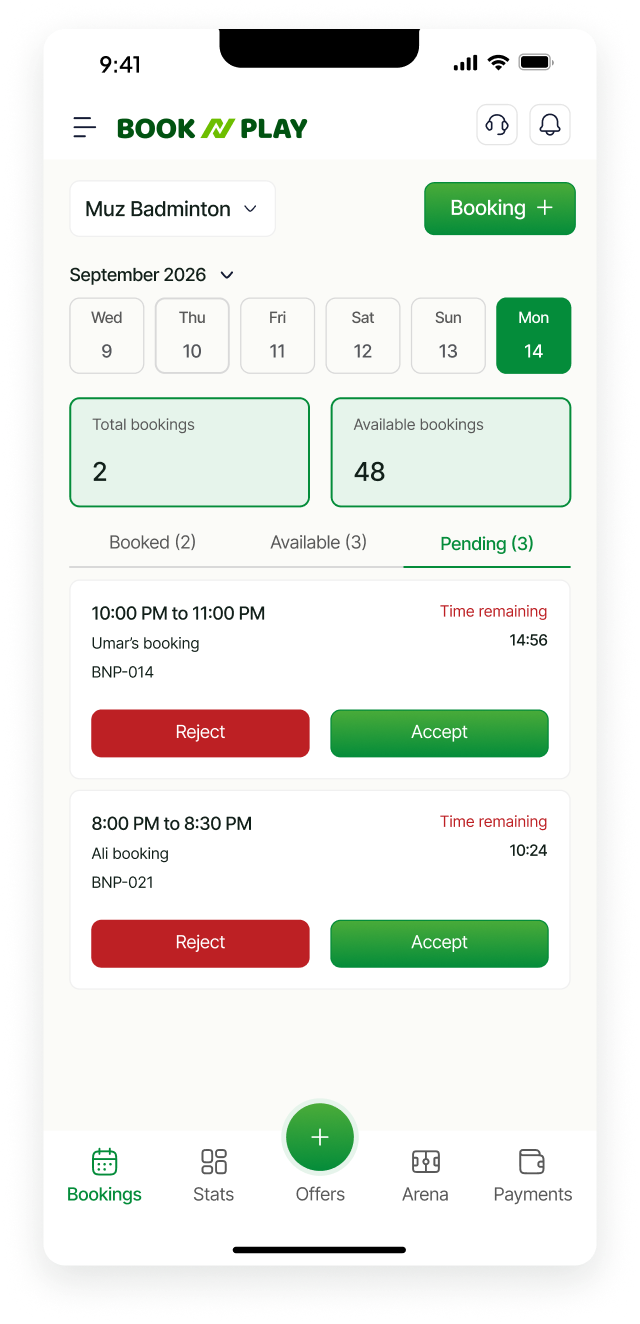 04 · ARENA OWNER
The owner accepts or declines the same session.
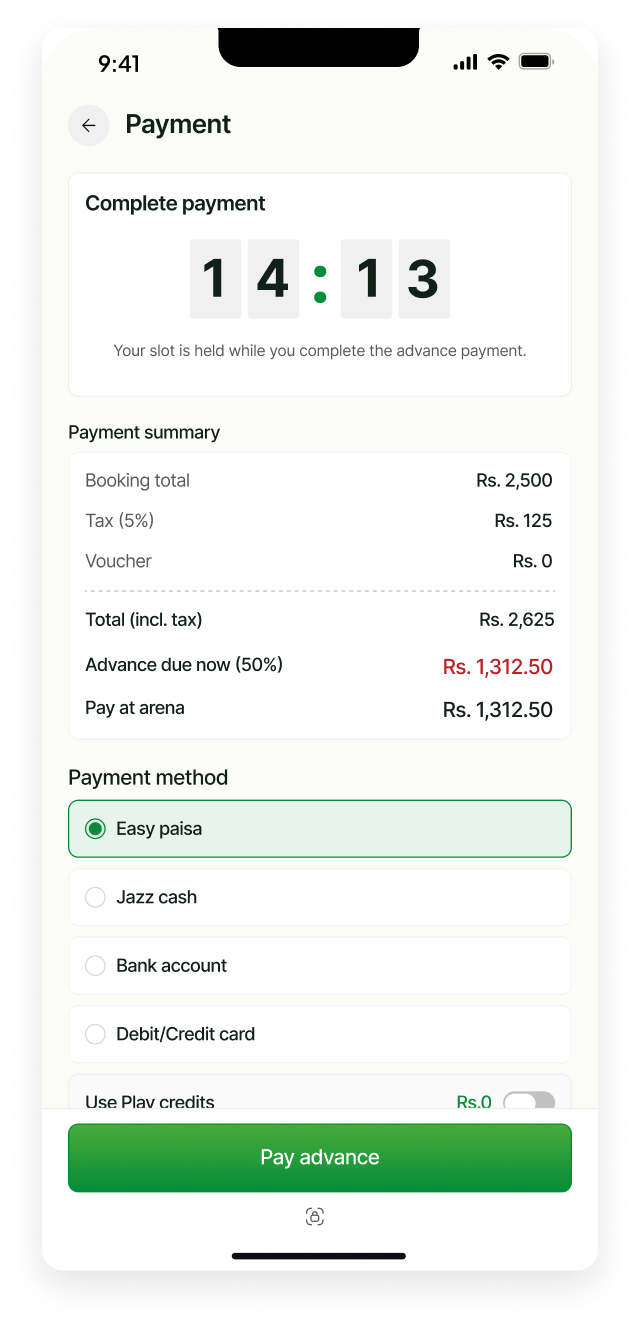 05 · PLAYER
Approval opens payment and shows the venue balance.
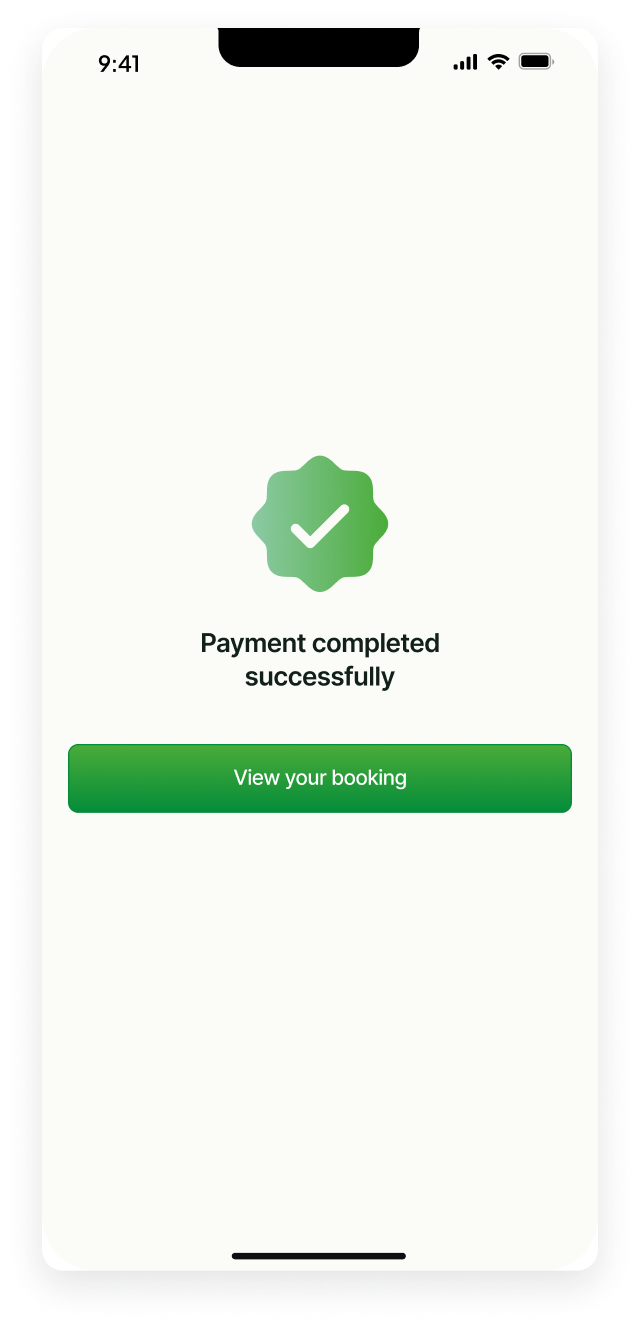 06 · PLAYER
Payment success leads to the booking details.
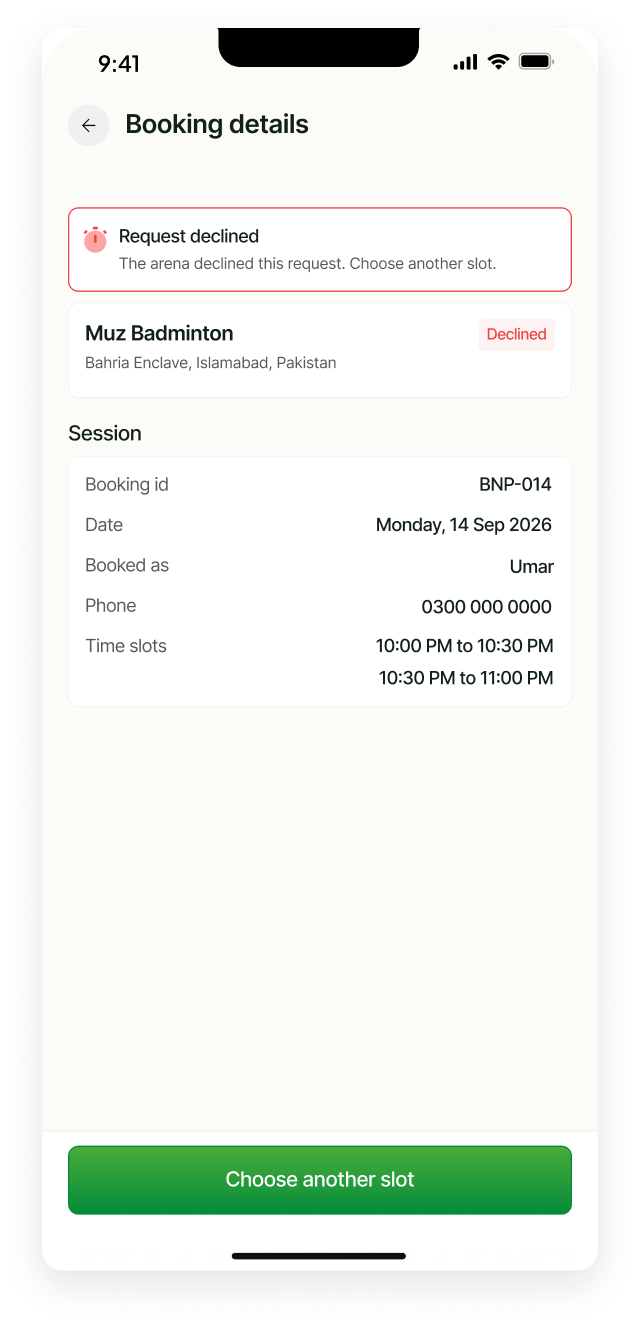 IF DECLINED
The player can return to slot selection.
Players use Book & Play to find an arena and decide where to play. The venue app handles requests alongside the work of maintaining listings, collections and offers.
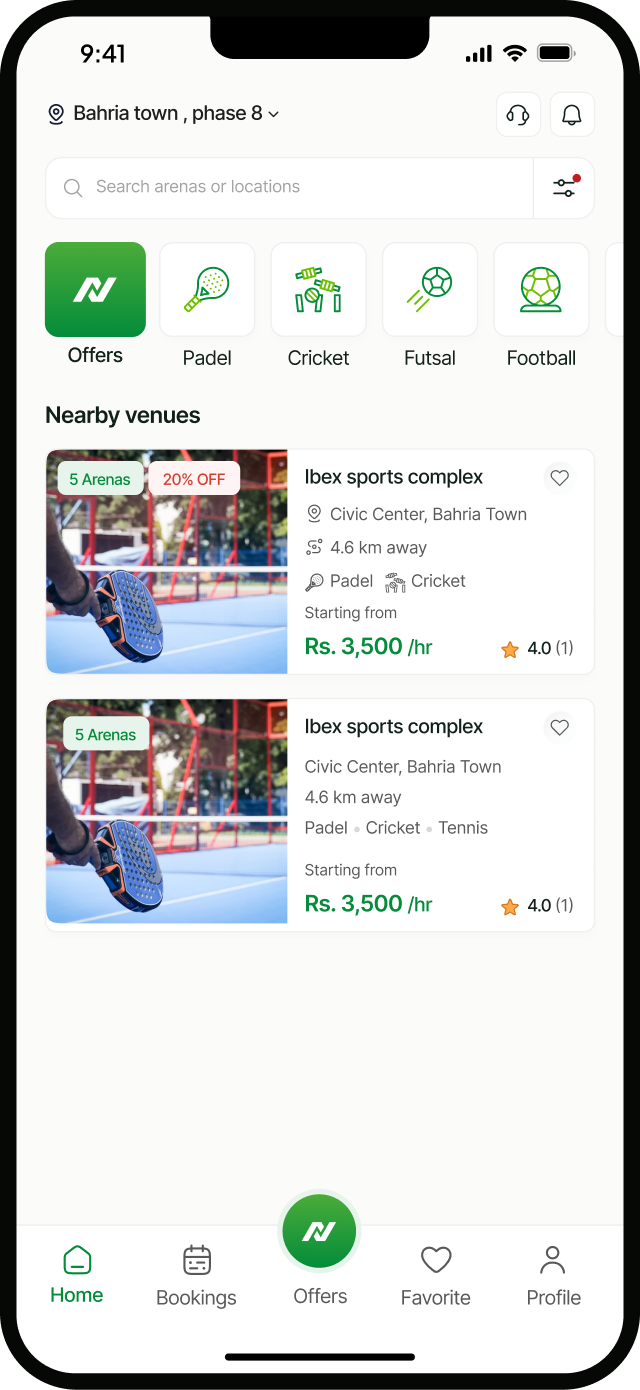
See nearby arenas and starting prices.
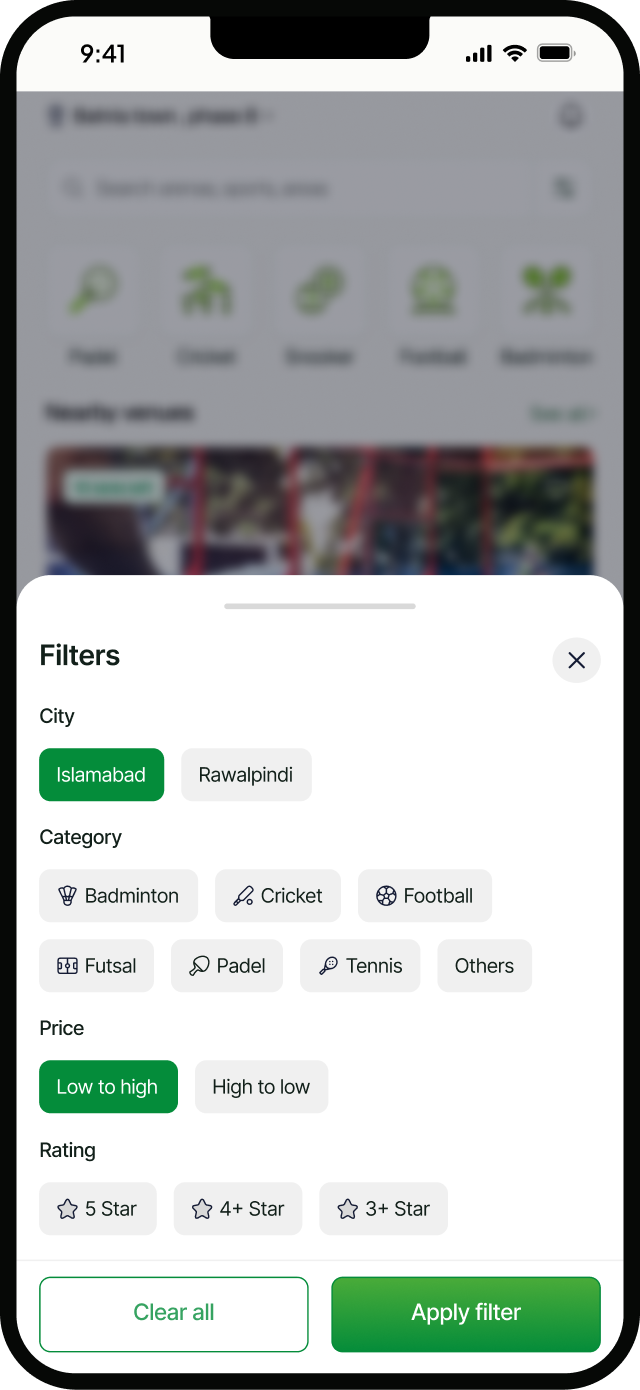
Narrow results by location, sport and price.
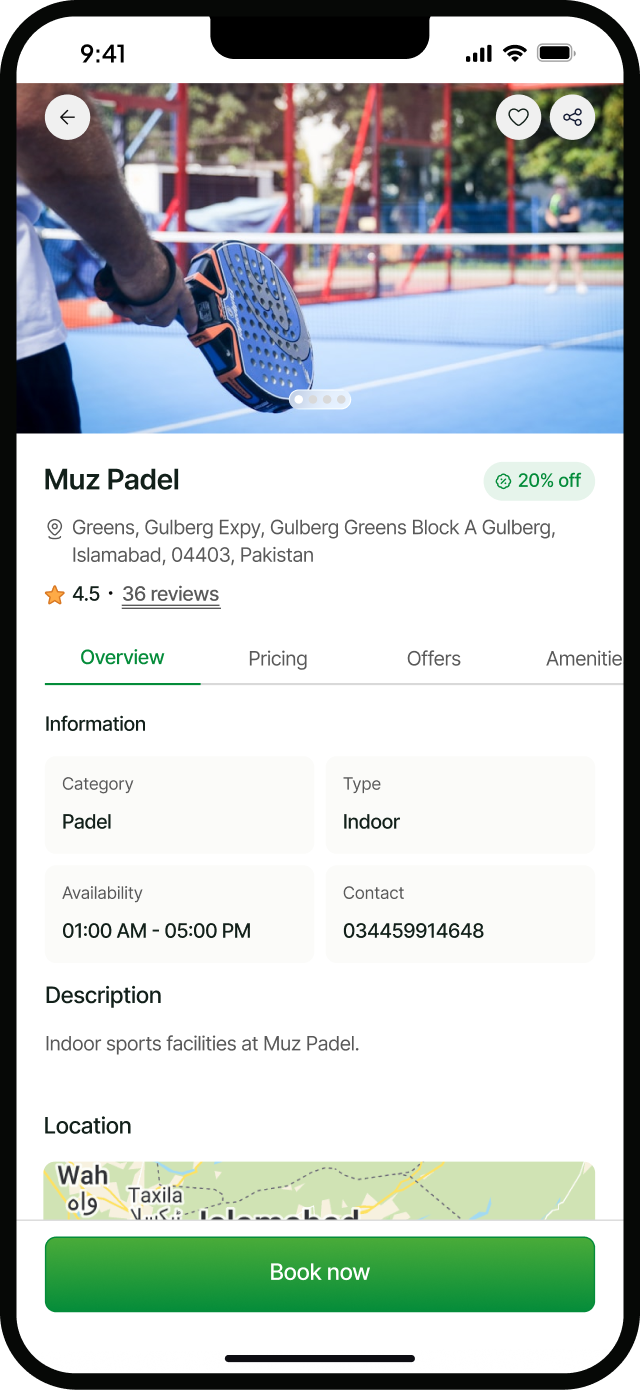
Check pricing, amenities and location.
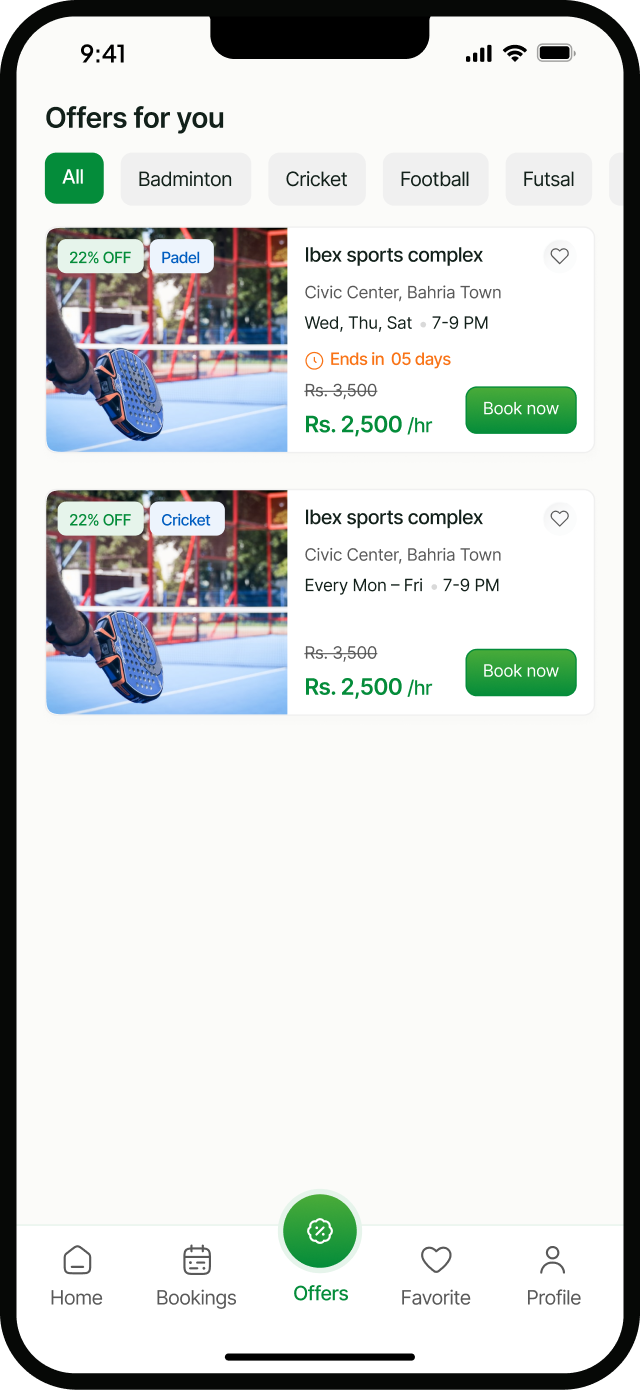
See venue offers before choosing where to play.
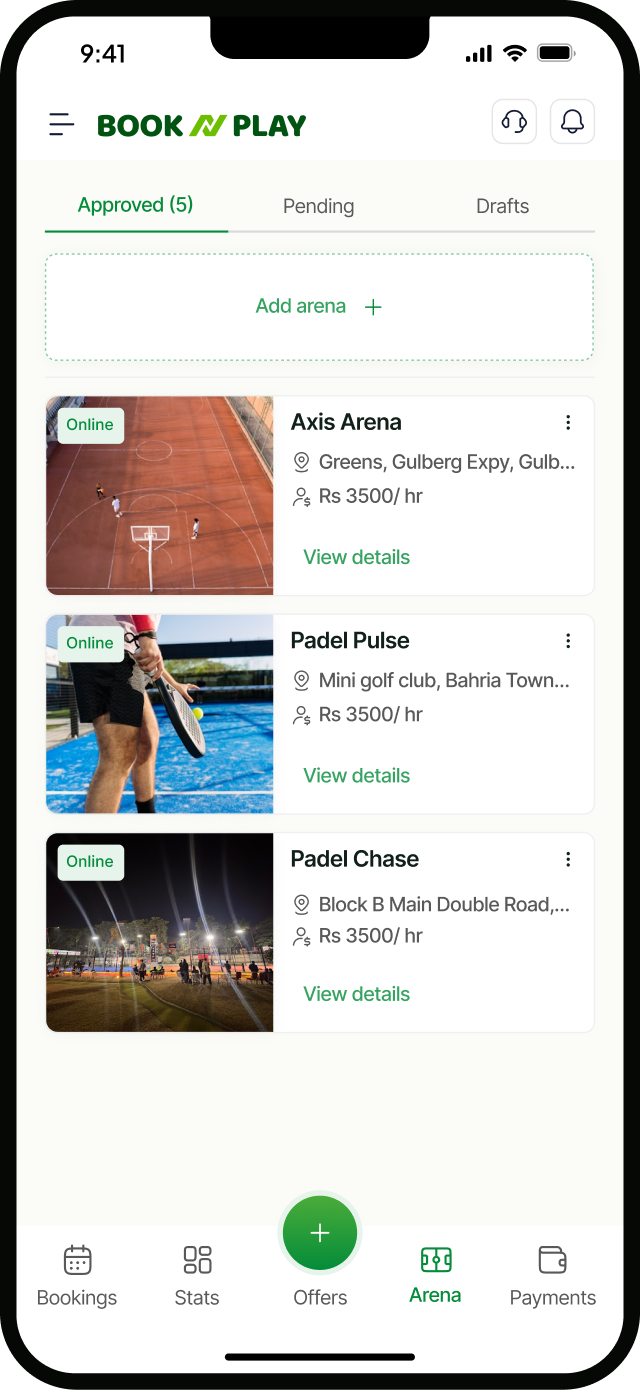
See approved venues, pending listings and drafts.
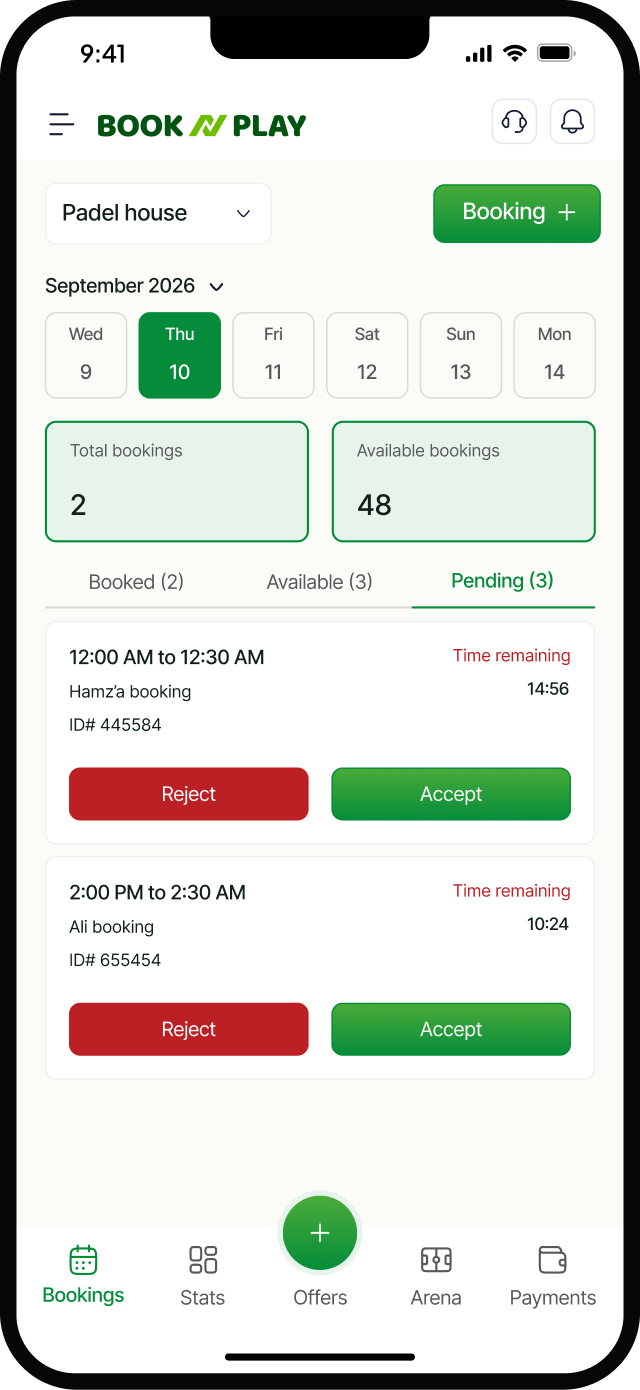
Accept or reject requests from the venue schedule.
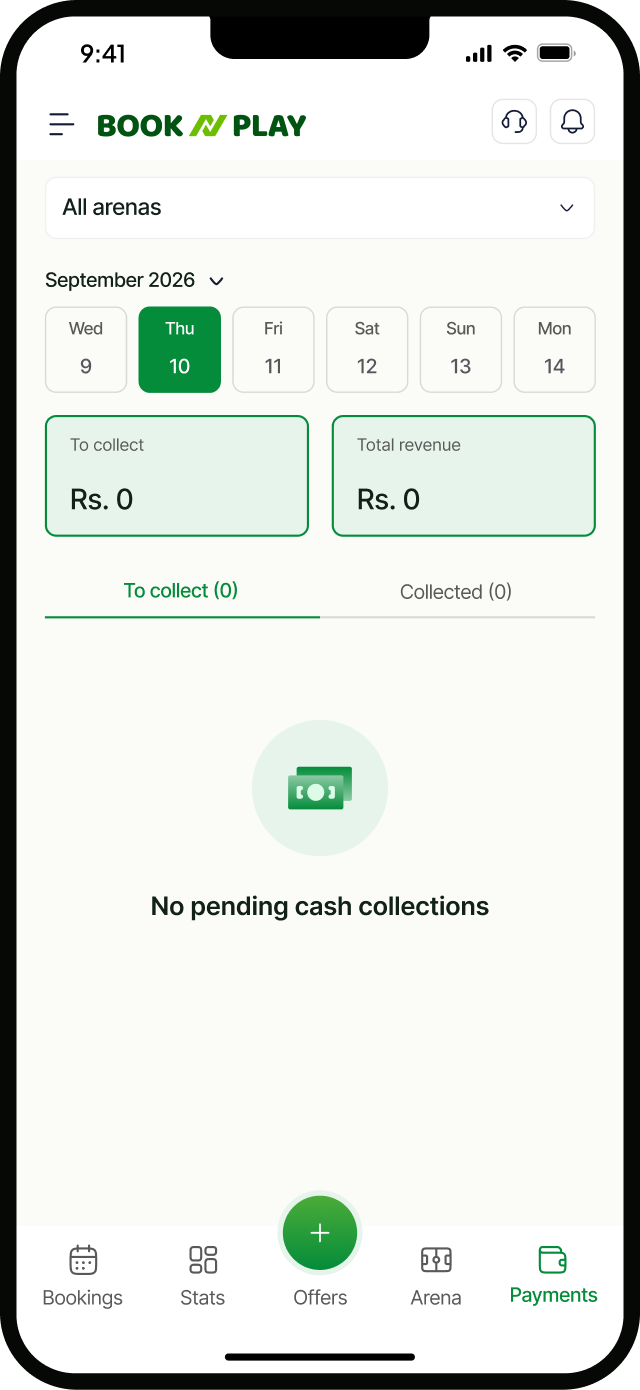
See amounts to collect and amounts already collected.
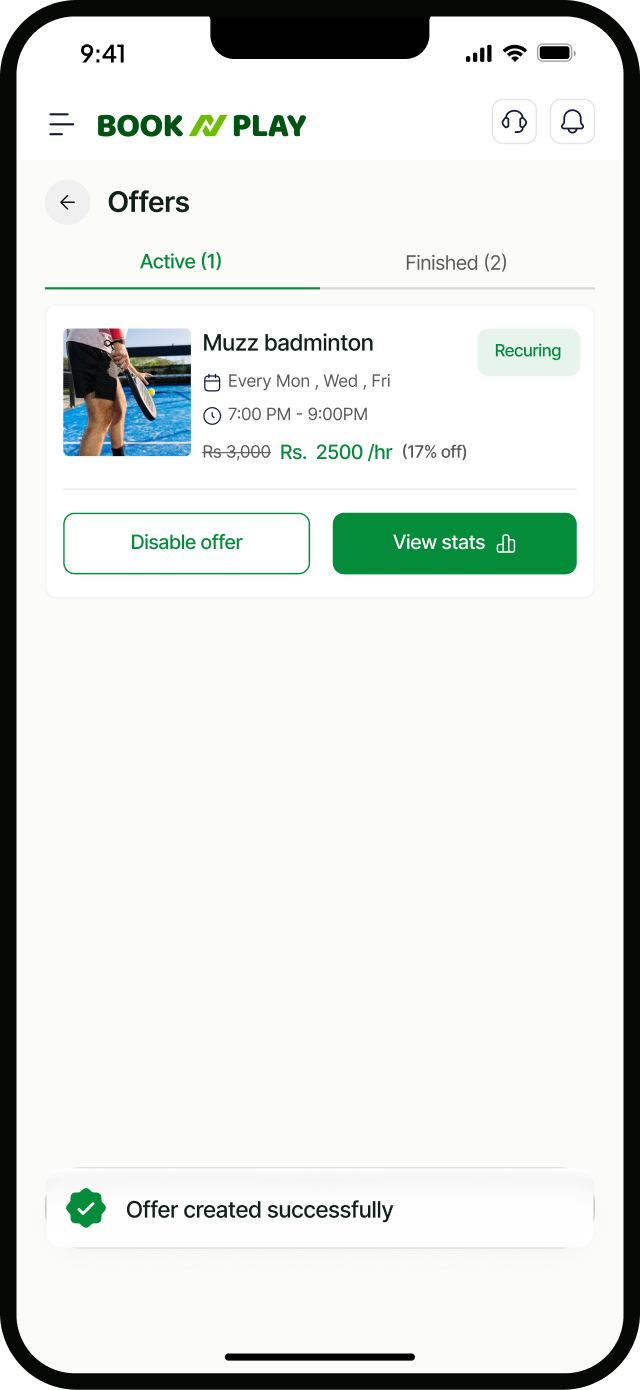
See active and finished venue offers.
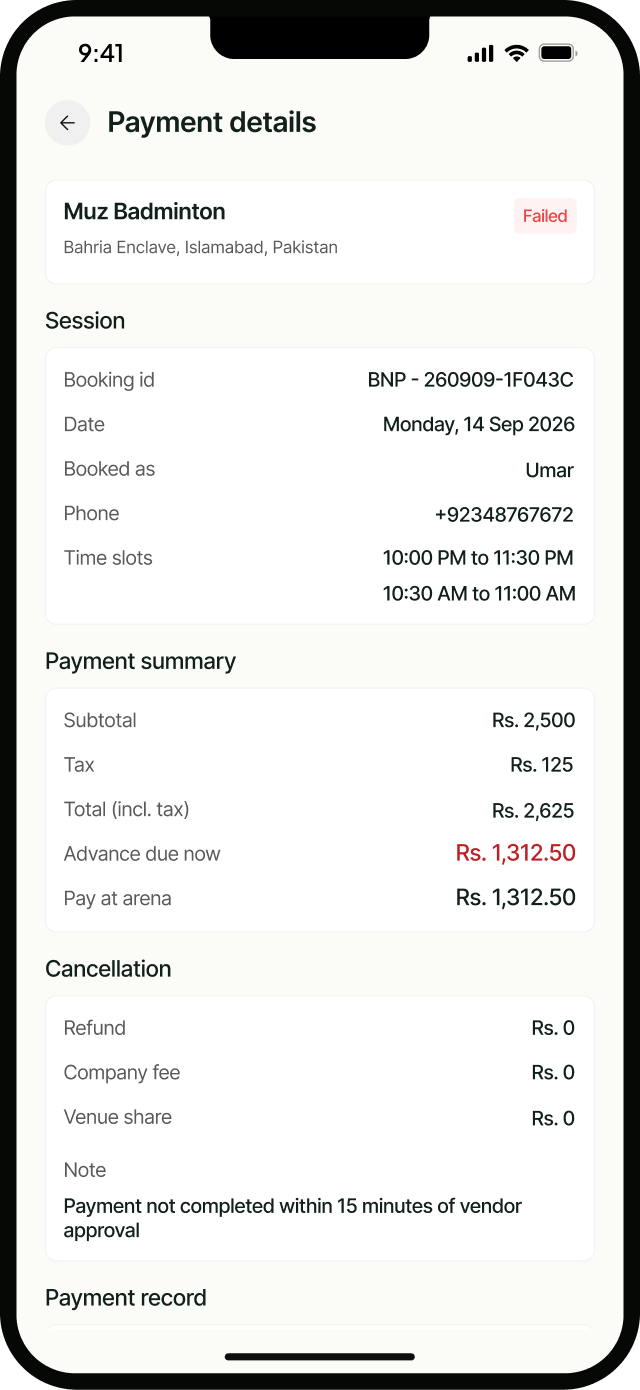
The outcome depends on where the booking stops. Each state needs to explain what happened and show the next step that’s available.
The request keeps its session details and offers another slot.
When the request times out, the player can choose another arena.
The payment record explains that the advance wasn’t completed within the payment window.
Prototype tasks for players and arena owners before launch.
PLAYER
After requesting a slot, explain whether it’s confirmed.
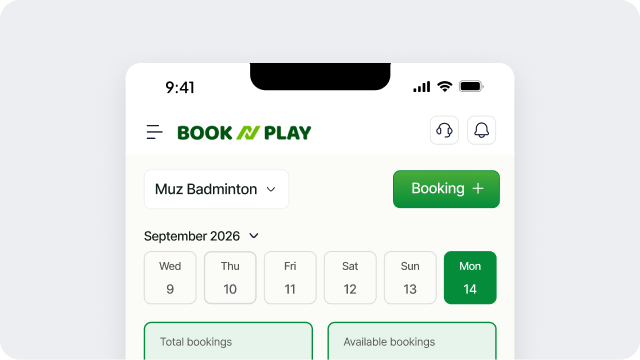
ARENA OWNER
Find the requested court and time, then respond.
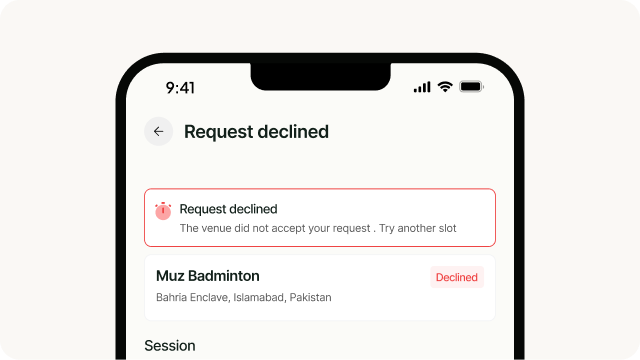
PLAYER
Continue after the venue declines the request.
Draft targets to review during the pilot. Compare performance by sport after launch.
Share of unique arena-view sessions that result in a submitted request.
Time from sending a request to the owner accepting or declining it.
Share of approved requests paid within the booking’s payment window.